

Isn’t it magical? You send a message from one device, and a split second later, someone on the other side of the world can see its content.
But what exactly happens in this split second? What journey does the data packet travel?
Let’s find out!
The Journey of the Data Packet
Once a connected device is triggered, a data packet sets off on its journey:

- Departure: A connected device sends a radio signal using electromagnetic waves.
- Relay: A nearby cell tower from a local operator (e.g. Vodafone or AT&T) captures the signal.
- Pass-Off: The signal is translated into a digital message and handed off to the Core Network, Monogoto, for instance.
- Final Mile: The Core Network routes the packet to its destination: the server awaiting its arrival.
All this happens within milliseconds. To the user, it remains invisible, an exchange of bytes hidden from sight.
Thankfully, Monogoto makes it possible to look behind the scenes with two powerful features: NetFlow and Captures.
NetFlow: Shedding Light on IP Traffic
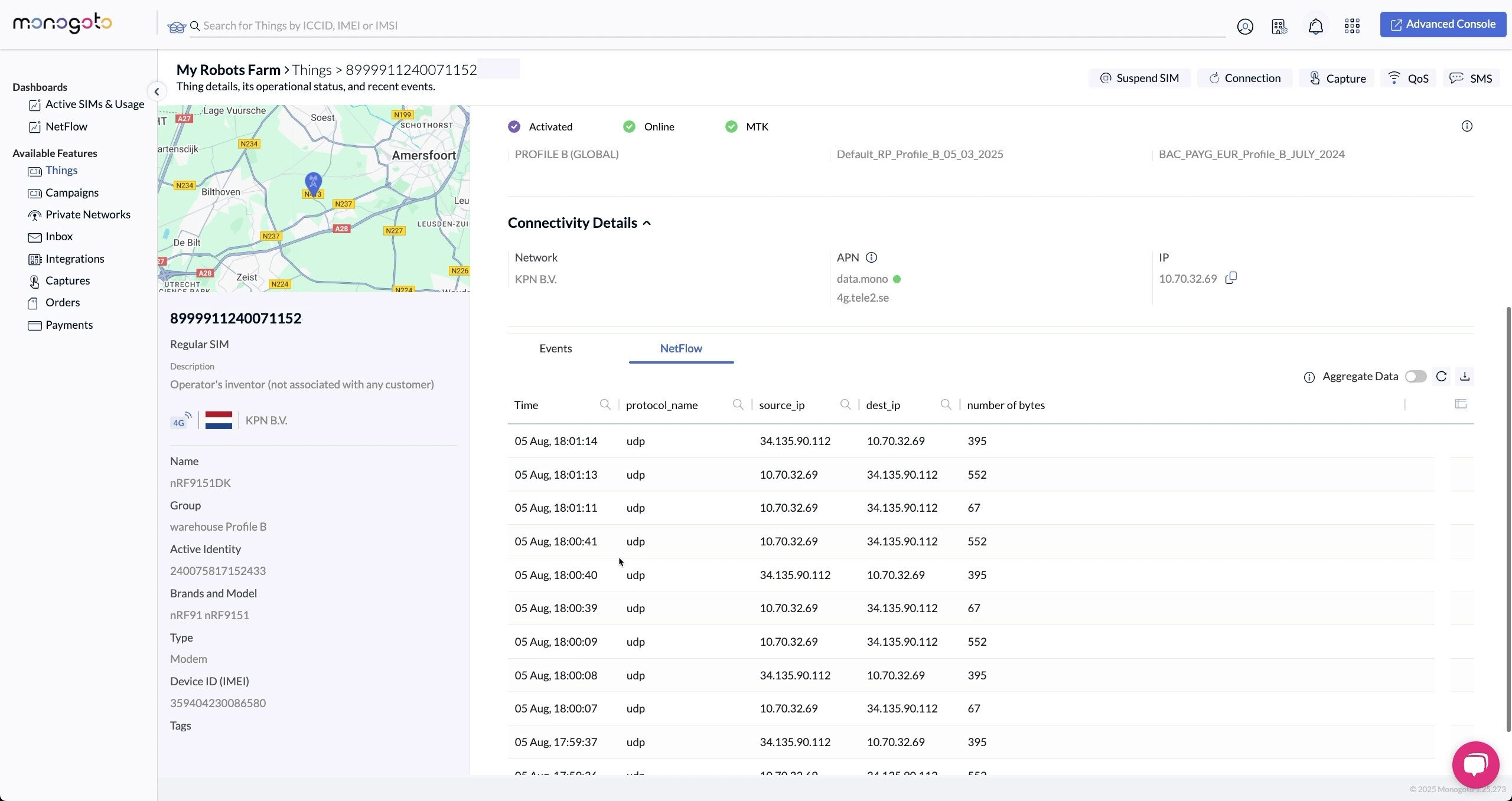
NetFlow visualizes the hidden world of network traffic, it reveals the metadata that surrounds each data packet.
With NetFlow, you can see:
- When devices are sending data
- How much data is sent
- The data protocol of the messages (e.g. UDP, TCP)
- Where the messages are sent to (what IP endpoint)
- How much data is sent back to the device, when, using what data protocols, and from where.
NetFlow can be viewed for a single device or for your entire fleet. Traces of a single device can be used to spot anomalies, or to confirm that everything is running smoothly.
An entire fleet can also be analyzed by NetFlow, directly showing the top destinations, protocols used, and top consuming things by upload or download.
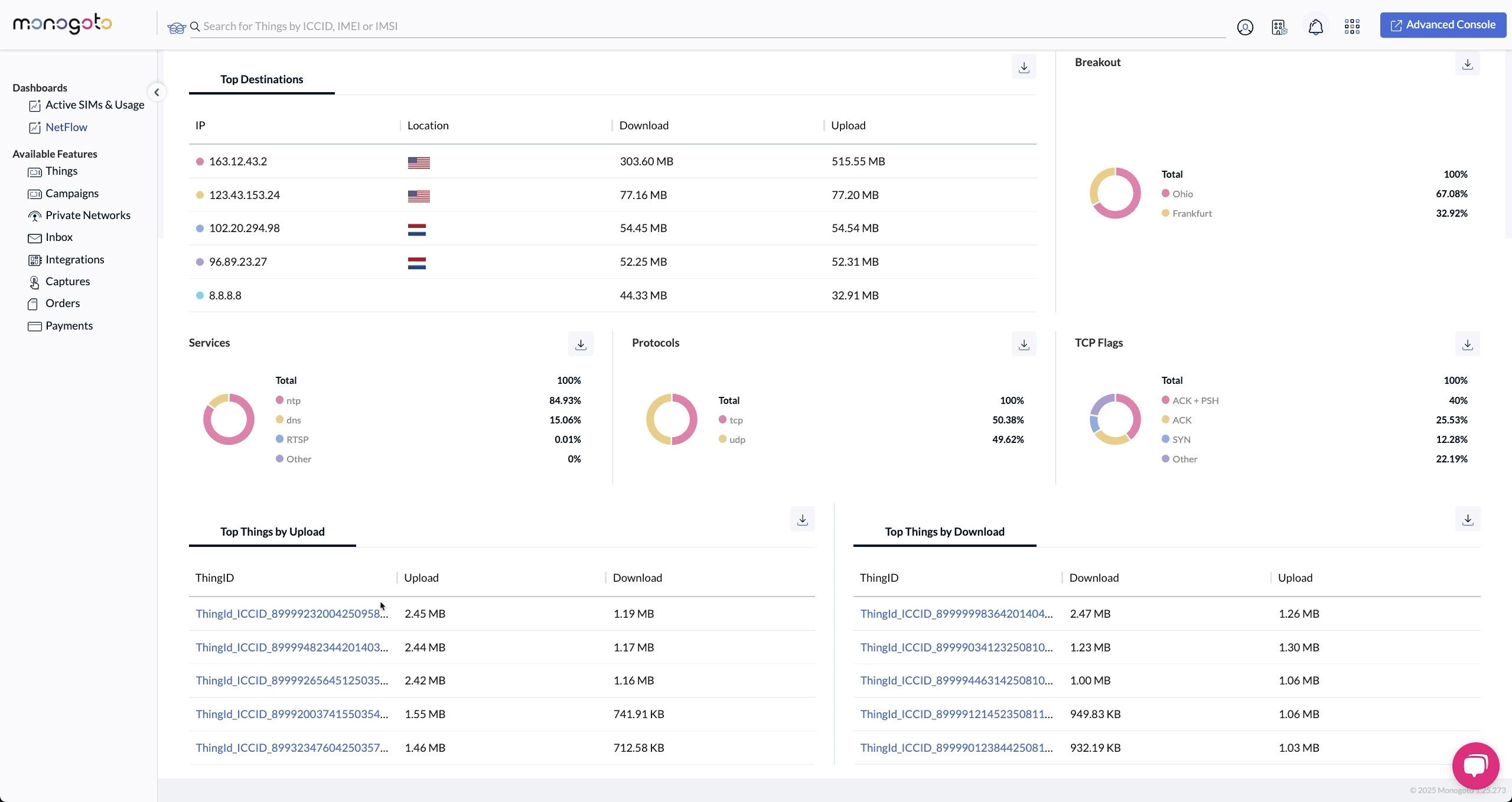
NetFlow is a great tool that will help you debug connectivity issues quickly. You can validate if data is sent and received, and if the right endpoints and data protocols are used.
But sometimes, metadata isn’t enough. Sometimes you need to see the full packet itself.
Packet Capture: Seeing the Actual Data
NetFlow gives you quick insights into the IP traffic to and from your devices. Captures can do the same, but with much more detail. Allowing for full reconstruction of what’s happening, and when.
It shows you where data is sent from, and where it’s sent to. What protocols are being used (like DNS, DTLS, UDP, TCP). And instead of only seeing the meta data, you can see the exact contents of the data packet.
With the Captures tool, you can download packets processed by the Monogoto Core Network for detailed analysis.
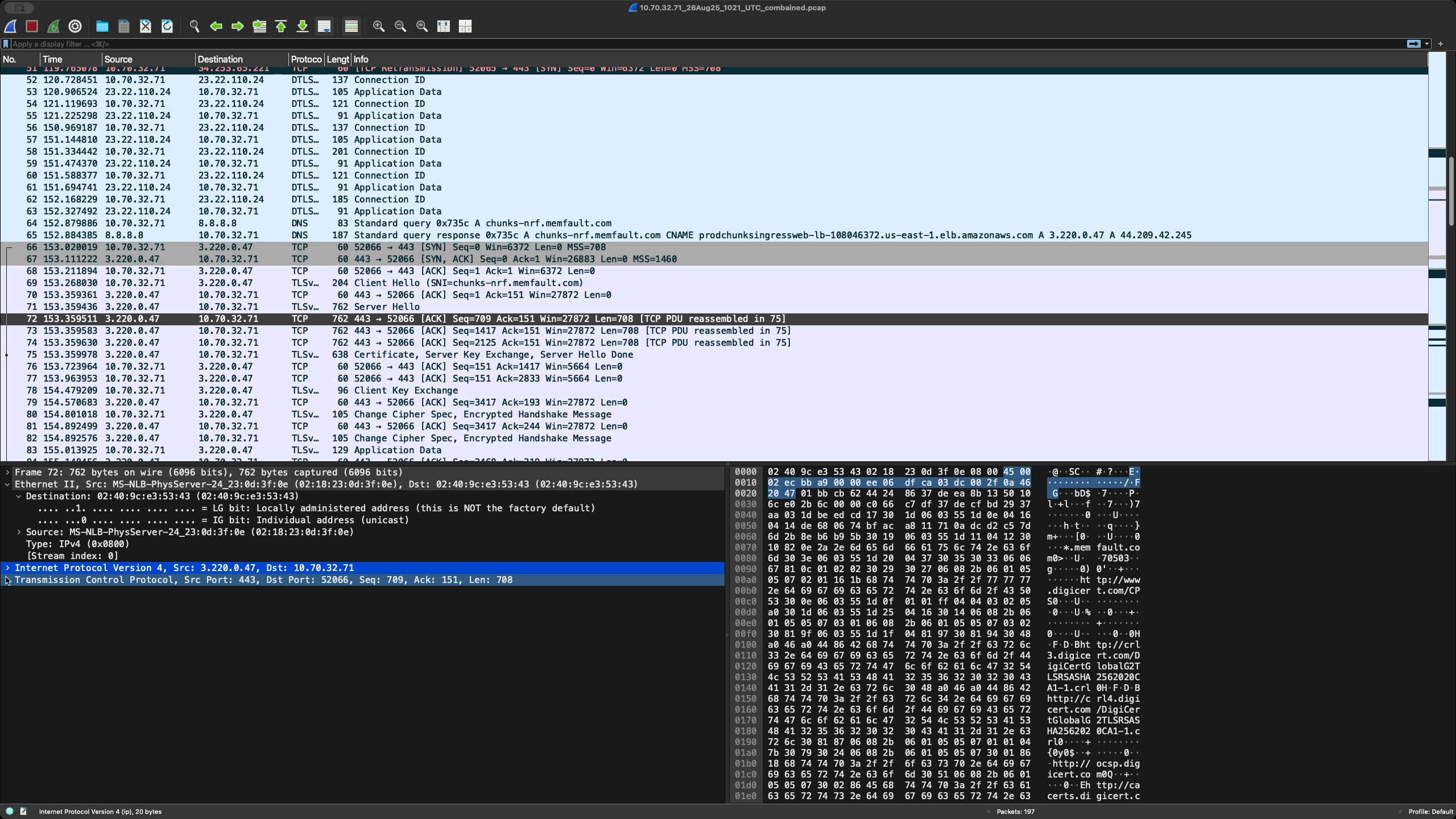
Captured packets are stored in a PCAP file which can be opened in a tool like Wireshark. This enables you to analyze the communication, inspect every detail, and reconstruct events packet by packet.
Try It Out Yourself!
Both NetFlow and Captures are powerful tools to validate whether data is sent to and from the correct endpoint. If something doesn’t work as expected, these features help you deconstruct what’s happening and pinpoint where the data flow breaks.
Want to try it yourself?
- Watch the Show Don’t Tell episodes:
- Visit the Monogoto Docs:
- Enable the NetFlow and Packet Capture integrations in the Monogoto Hub
- Monitor the journey of your data packets
Once you’ve seen your own traffic in action, the invisible no longer stays invisible, and you’ll never look at a data packet the same way again.
Learn more by watching the Show Don’t Tell episodes on Netflow and Captures: